
In short
To protect you from misuse and to prevent fraud and money laundering, we’ll ask you to confirm it’s you before you can view or download your gift card. It only takes a moment.
- You’ll receive a 6-digit code by email or text message.
- The code is valid for 5 minutes, and only the latest code works.
- After 3 incorrect attempts, the gift card will be locked as a security measure. Contact customer service and we’ll help you.
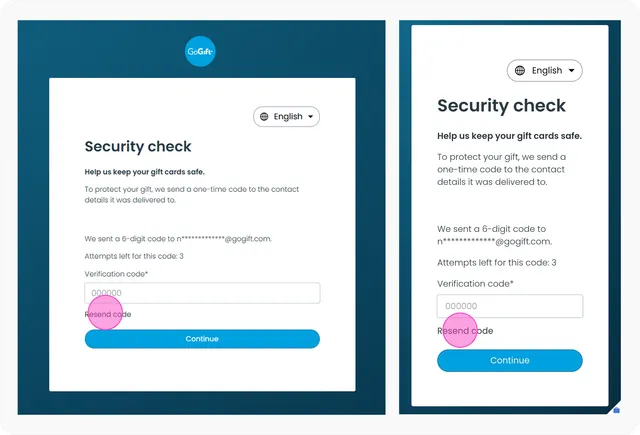
No code? Check your spam folder, or request a new one when the Resend code button appears.
Follow our guide
Step 1: Open the email or text message with your gift card and click See gift card.
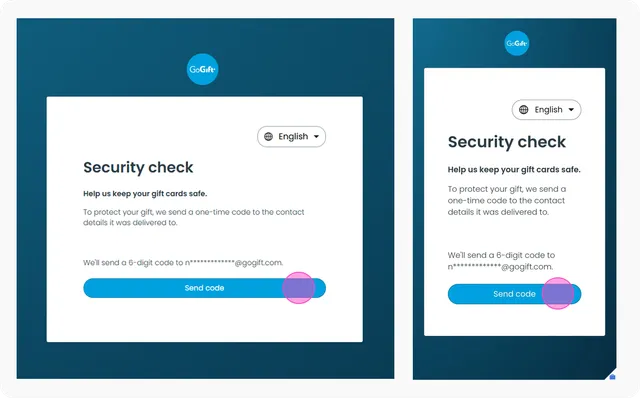
Step 2: On the page that opens, click Send code. We'll send a 6-digit code to the email address or phone number your gift card was sent to.
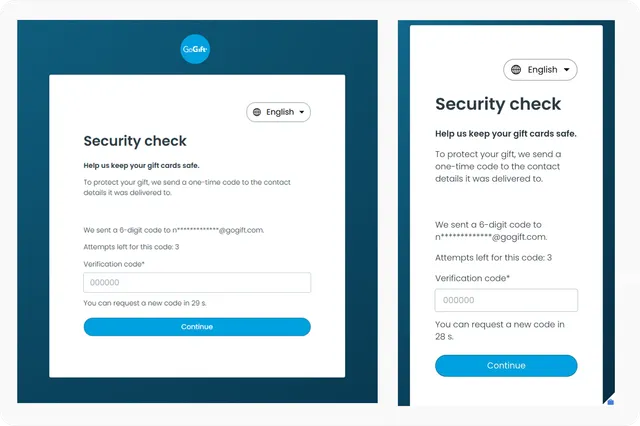
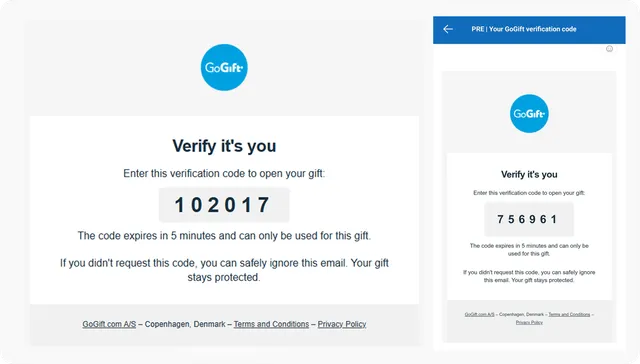
Step 3: Check your email or text messages for the code. The email is from GoGift and has the subject line "Your GoGift verification code". If you can't find it, check your spam or junk folder.
The code expires after 5 minutes and can only be used for this gift card.
Step 4: Go back to the gift card page, enter the code, and click Continue.
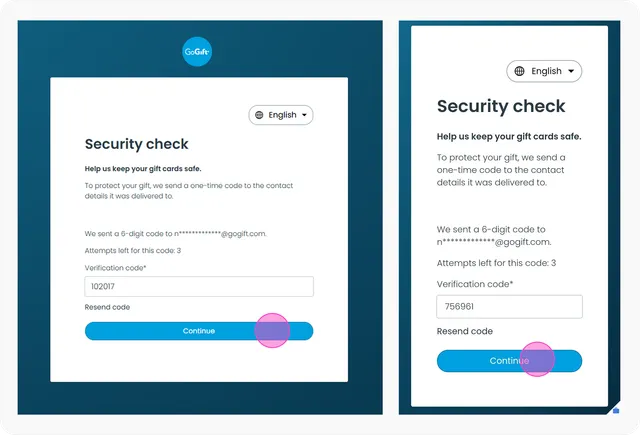
✅ Done! Your gift card will now be displayed or downloaded automatically.
Didn't get the code, or has it expired?
You can request a new one. When the timer on the page reaches 0, a Resend code button appears. Click it to get a new code.
Only your latest code works. Previous codes stop working as soon as you request a new one.
Too many incorrect attempts
For your security, your gift card will be locked after 3 incorrect codes. If this happens, please contact Customer Service and we'll help you unlock it.